Android · Real Estate Photography

The photo your phone camera
refuses to take.

Shootly captures multiple exposures and uses AI to merge them into bright, natural-looking interior shots — MLS compliant, no desktop editing required.

Android only · Unlimited free preview · You only pay for what you love
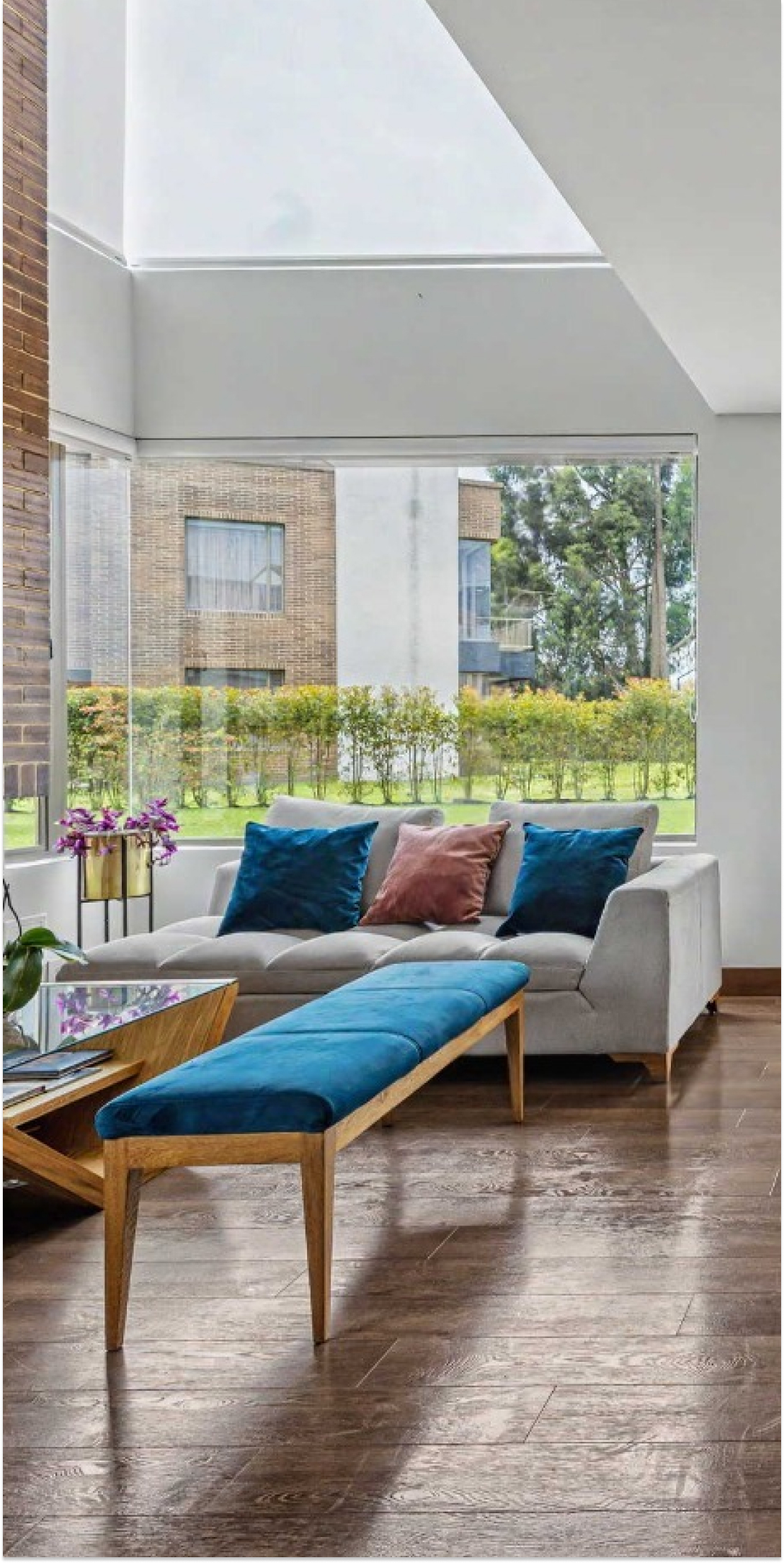
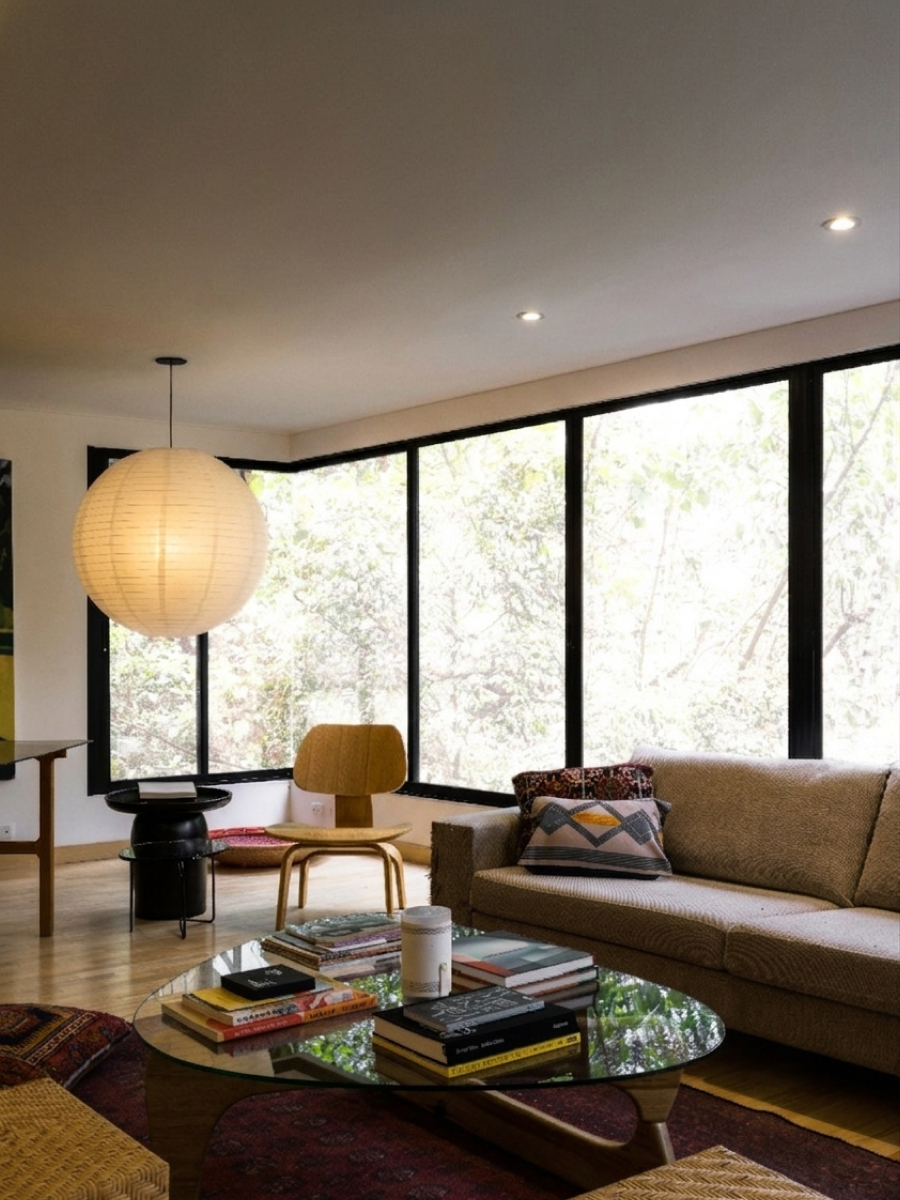
Interior photo before Shootly — dark single exposure
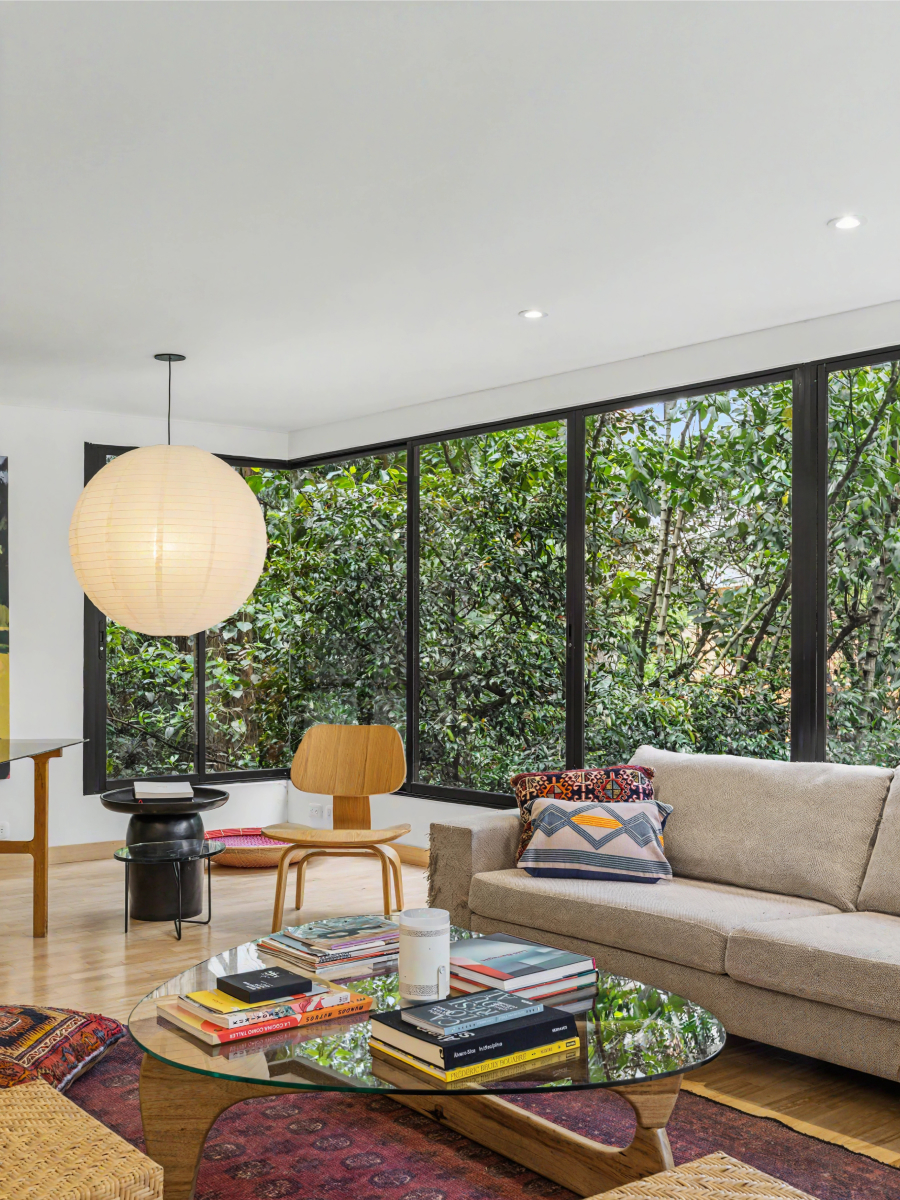
Shootly app showing an HDR merged interior photo

Your phone camera can't capture what you see.

Standard smartphone cameras struggle with interior real estate shots. Expose for the window — the room goes dark. Expose for the room — the windows blow out. The result looks unprofessional, undersells every property, and costs you bookings.

Exposed for the window
The room looks like a cave

Walls, furniture, and floors go dark and muddy. The space looks smaller and less inviting than it really is. No amount of brightness adjustment in post will recover the lost detail.

Exposed for the room
Windows blow out to white

Natural light disappears completely. Any garden, street view, or outdoor space is lost. The photo looks flat, artificial, and nothing like what the room actually feels like in person.

Three steps. Done.

No computer. No Lightroom. No sending files to a retoucher. The entire workflow — from shoot to listing-ready photo — lives on your Android phone.

01
Shoot

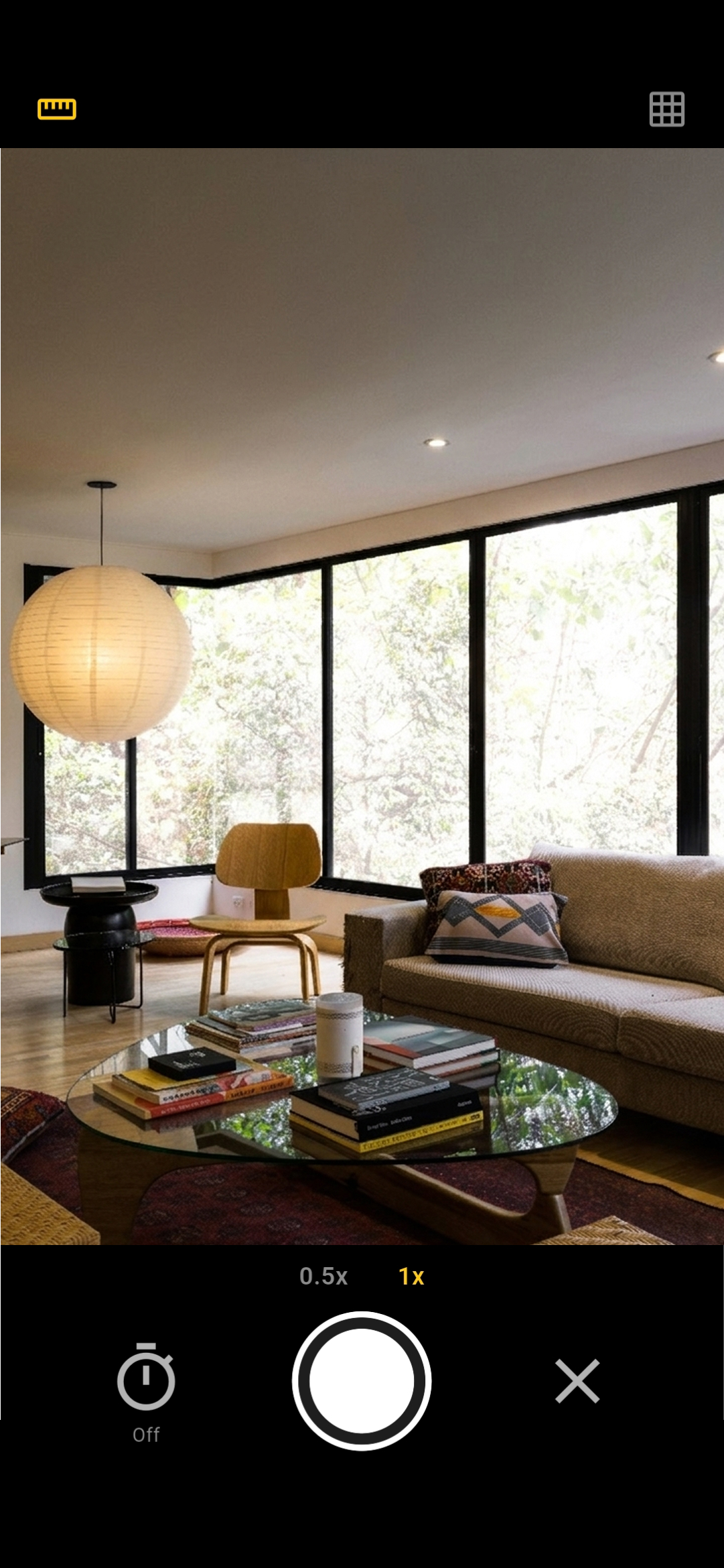
Open Shootly and point it at the room. Hold your phone steady while the app automatically captures multiple exposures in rapid succession. No tripod needed, no manual shutter adjustments, no technical knowledge required.

Shootly camera UI
02
Enhance

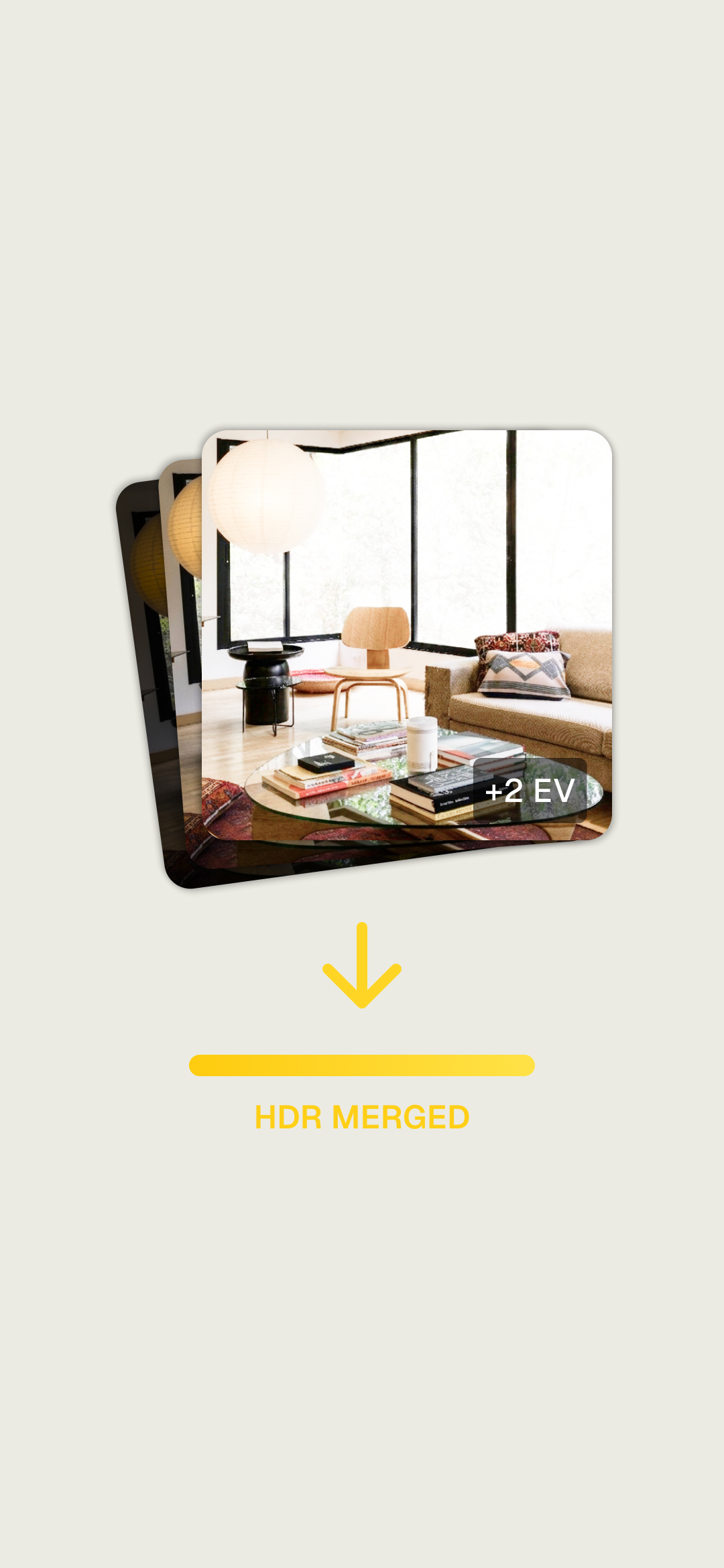
Your shots are uploaded to a specialist AI service built specifically for real estate photography enhancement. It merges the exposures, brightens the image, and adjusts balance to look bright and inviting — without modifying anything physical about the room or violating MLS photo standards.

Shootly merging exposures
03
Done

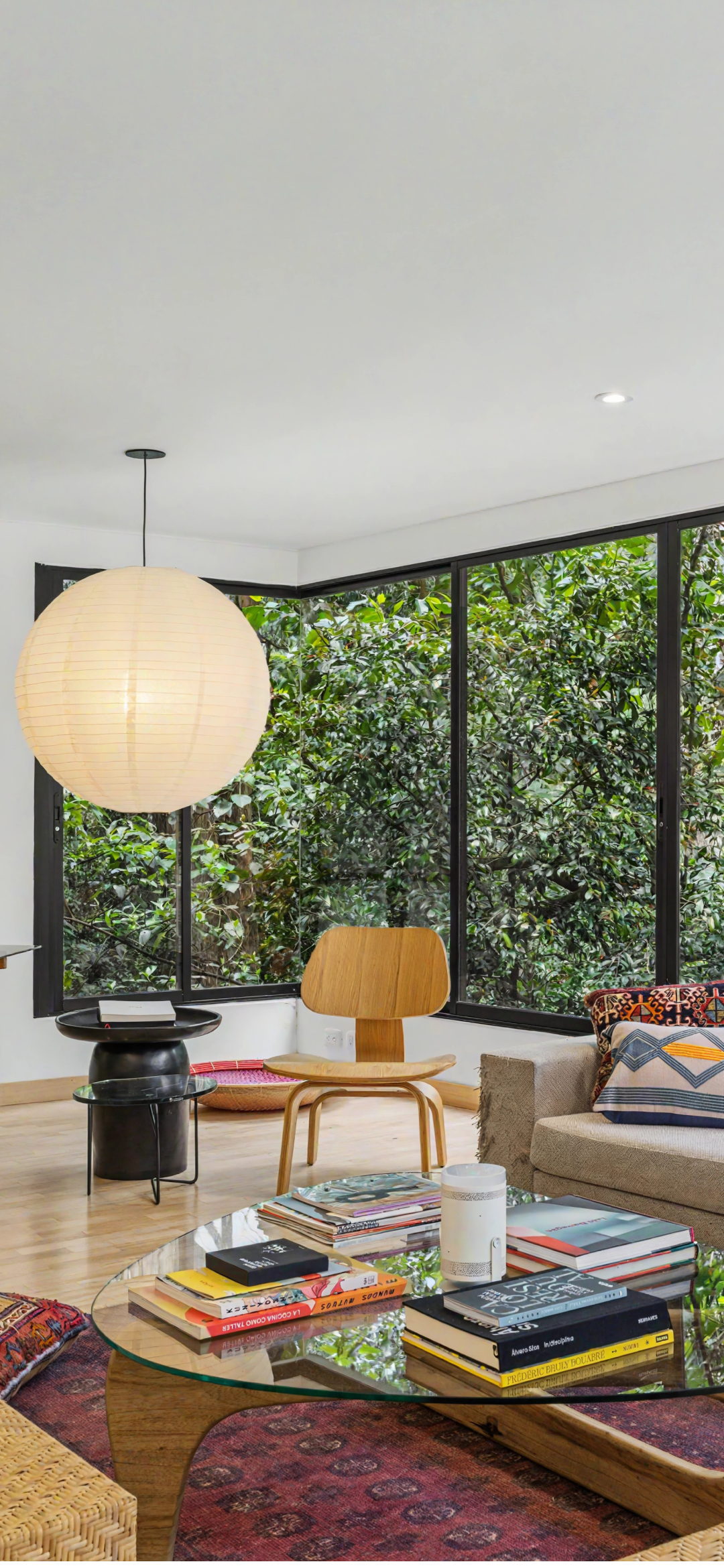
Within about a minute your enhanced image appears in the app gallery. Preview the full result completely free. You only pay for what you love.

Shootly final result screen

Everything you need. Nothing you don't.

Built specifically for interior real estate photography on Android — not a general-purpose camera app.

AI-powered HDR enhancement

Your exposures are processed by a specialist real estate photography AI. It merges and enhances the image to look bright and natural — not over-processed, not artificially saturated, not fake. This is the same quality of enhancement that previously required Lightroom on a desktop, now done automatically on your phone in under a minute.

Automatic exposure capture

Shootly handles the entire bracketing process automatically. Open the app, point at the room, and hold steady. The app fires multiple exposures and uploads them without any manual shutter speed adjustments, no tripod, and no technical setup. It works on any Android phone that supports the Camera2 API.

MLS compliant results

The AI enhances what is already in the room. It does not add furniture, remove objects, change wall colors, or modify anything physical about the space. Every result meets standard MLS photo submission guidelines, making it safe to use directly for property listings.

Android only

Shootly is currently built exclusively for Android. iOS is not supported at this time.

Tuned for interior real estate

The enhancement algorithm is specifically calibrated for the challenges of interior property photography — preserving window views, avoiding halo artifacts around door frames, keeping skin tones in staging shots natural, and producing results that look bright and inviting without the over-processed look that generic HDR apps produce.

Free preview · you only pay for what you love

Every enhanced image is available to preview with a watermark completely free. You only pay to remove the watermark on the shots you are genuinely happy with. There is no subscription, no monthly fee, and no charge for results that do not meet your standard.

Built for the people who shoot properties.

If you photograph interiors for a living or just need one good shot of your rental — Shootly is for you.

Real Estate Agents
Shoot listings yourself. Look like you hired a pro.

Skip the scheduling and the photography fee. Shootly gives agents the ability to shoot any listing on the spot — at an open house, after a renovation, or on a spontaneous walkthrough — and have listing-ready photos the same day. No photographer, no desktop editing, no waiting. Just bright, professional interior shots taken and processed entirely from your Android phone.

Airbnb & Short-Term Rental Hosts
Bright photos mean more bookings.

Guests decide within seconds of seeing your listing photos. A bright, well-balanced photo of your living room or bedroom makes a direct difference to click-through rates and booking conversions. Shootly lets you refresh your listing photos any time a room changes — new furniture, a repaint, a seasonal refresh — without hiring a photographer every time. You only pay for the shots you love.

The difference is obvious.

Same room. Same phone. Same window. Multiple exposures, one AI-merged result. No desktop software, no manual editing, no retoucher.

Interior photo before Shootly — dark single exposure
Before
Interior photo after Shootly AI enhancement — bright and balanced
After

Shootly vs. the manual workflow.

Here's what the old way costs you — and what Shootly eliminates for real estate agents and rental hosts shooting on Android.

What You Need Shootly Manual HDR Workflow
Capture bracketed exposures Automatic, one tap Manual shutter + tripod
Merge and enhance AI-processed, ~1 minute Lightroom / Photoshop on desktop
Desktop computer Not needed Required
File transfer step Skipped entirely USB / cloud sync
MLS compliance Built in Your responsibility
Time from shoot to deliverable Minutes, on location Hours at desk
Cost You only pay for what you love Software subscription + time

Questions people actually ask.

Straight answers. No marketing language.

Shootly works on any Android phone that supports the Camera2 API, which covers the vast majority of modern Android devices including Samsung, Google Pixel, and OnePlus. You do not need a dedicated camera, special lens, or additional hardware. If your Android phone was released in the last four years it will almost certainly work.
Your phone's built-in HDR is a quick in-camera compression designed for general everyday photography. It is not tuned for interior real estate shots with bright windows alongside dark rooms. Shootly captures a proper exposure bracket and sends it to a specialist real estate photography AI that merges and enhances specifically for listing-quality results — brighter rooms, visible window light, and natural-looking balance without the over-processed look.
No tripod required. Shootly captures the bracket in rapid succession and the AI handles frame alignment automatically. Just hold your phone reasonably steady during the capture — the same way you would for any normal phone photo. Handheld shots produce clean, listing-ready results in normal shooting conditions.
No. Shootly is Android only. It is built on the native Camera2 API which provides full sensor-level control over exposure timing and bracketing.
Preview every enhanced image completely free with a watermark. You only pay for what you love — remove the watermark only on the shots that meet your standard. There is no subscription and no monthly fee.
No. The AI enhancement is specifically tuned to avoid the over-processed HDR look — no halos around windows, no unnatural color saturation, no "painted" effect. The goal is photos that look bright, clean, and natural. If you have ever seen real estate photos that look obviously fake or over-edited, Shootly is specifically designed to avoid that result.
Yes. Shootly's AI enhances brightness and exposure balance without adding, removing, or modifying anything physical about the room. No virtual staging, no object removal. Every result meets standard MLS photo submission guidelines and is safe to use directly for property listings.
Yes. Shootly works for any interior space where you need bright, balanced photos — residential MLS listings, Airbnb and short-term rental properties, furnished apartments, and commercial spaces. Anywhere a single phone exposure fails to capture both the room and the window light at the same time.

Every listing deserves
a bright room.

Download Shootly and shoot your first AI-enhanced HDR interior in under two minutes.

Get it on Google Play
Free to try · Android only · You only pay for what you love